
When the fire alarm goes off, do you know who is in the building?
YMO Visitor turns the paper book at the gate into a one-screen registration system. Who came, whom they are visiting, whether they are still inside: at any moment, at a glance.
The cost of a paper log
The book at the gate cannot answer when it matters
In an emergency: Nobody wrote down the exit time. No one knows who is still inside.
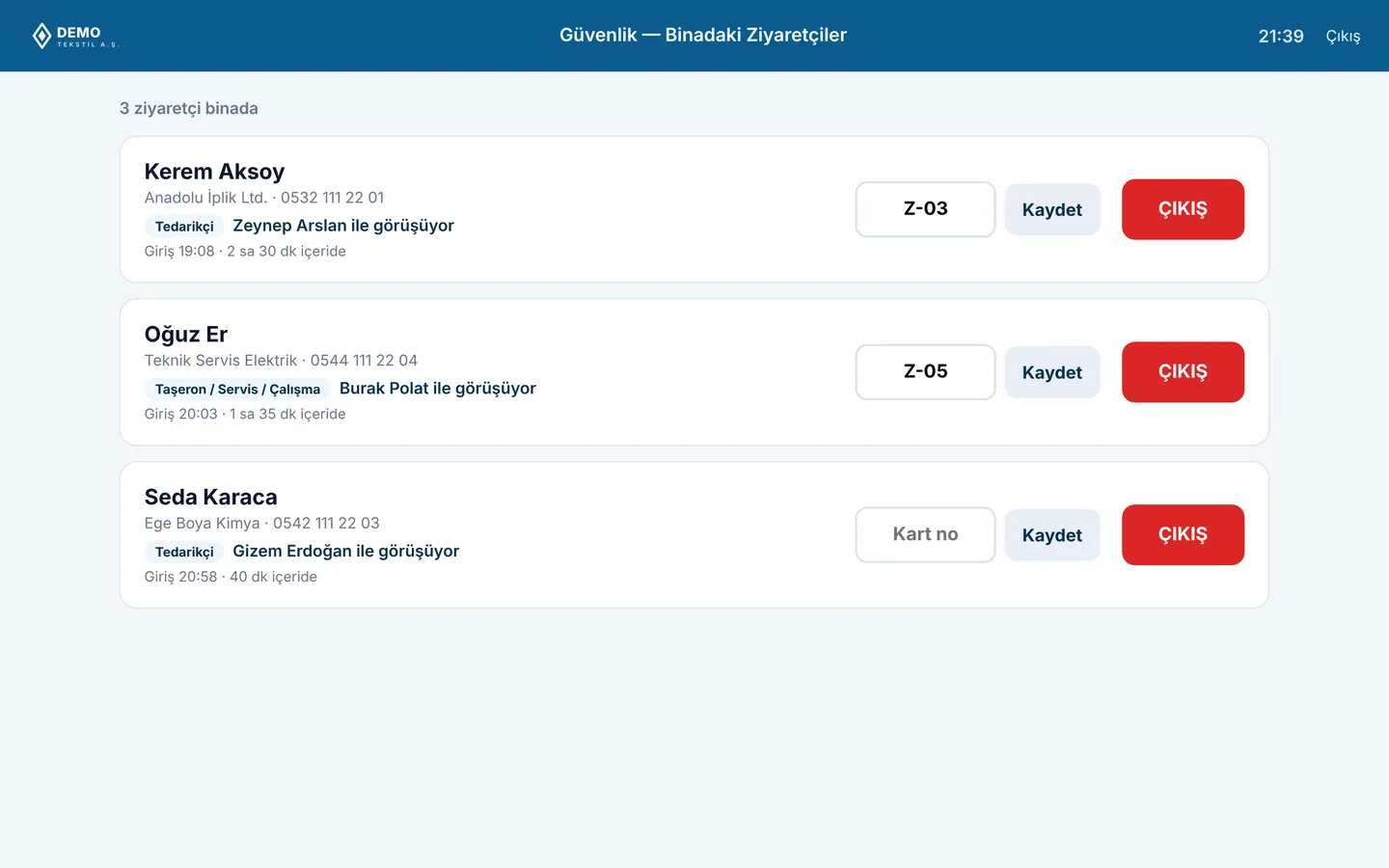
With YMO Visitor: A list of everyone on site, on screen and on paper, in one click. Missing people are spotted at the assembly point straight away.
During an audit: “Who came from that company last month?” means leafing through pages of the book.
With YMO Visitor: Search by name, company or date; find it in seconds and export to Excel.
For data protection: In the open book on the desk, every visitor reads the previous visitor's name and phone number.
With YMO Visitor: Records are visible only to authorised staff. Data is deleted automatically when the retention period ends.
Check-in in 30 seconds. Check-out with one tap.
The record is never lost.
Not a new chore for the security guard, but a habit that is easier than the paper book.
Screens
From the live demo
From the tablet at the entrance to the management panel, straight from the demo environment.
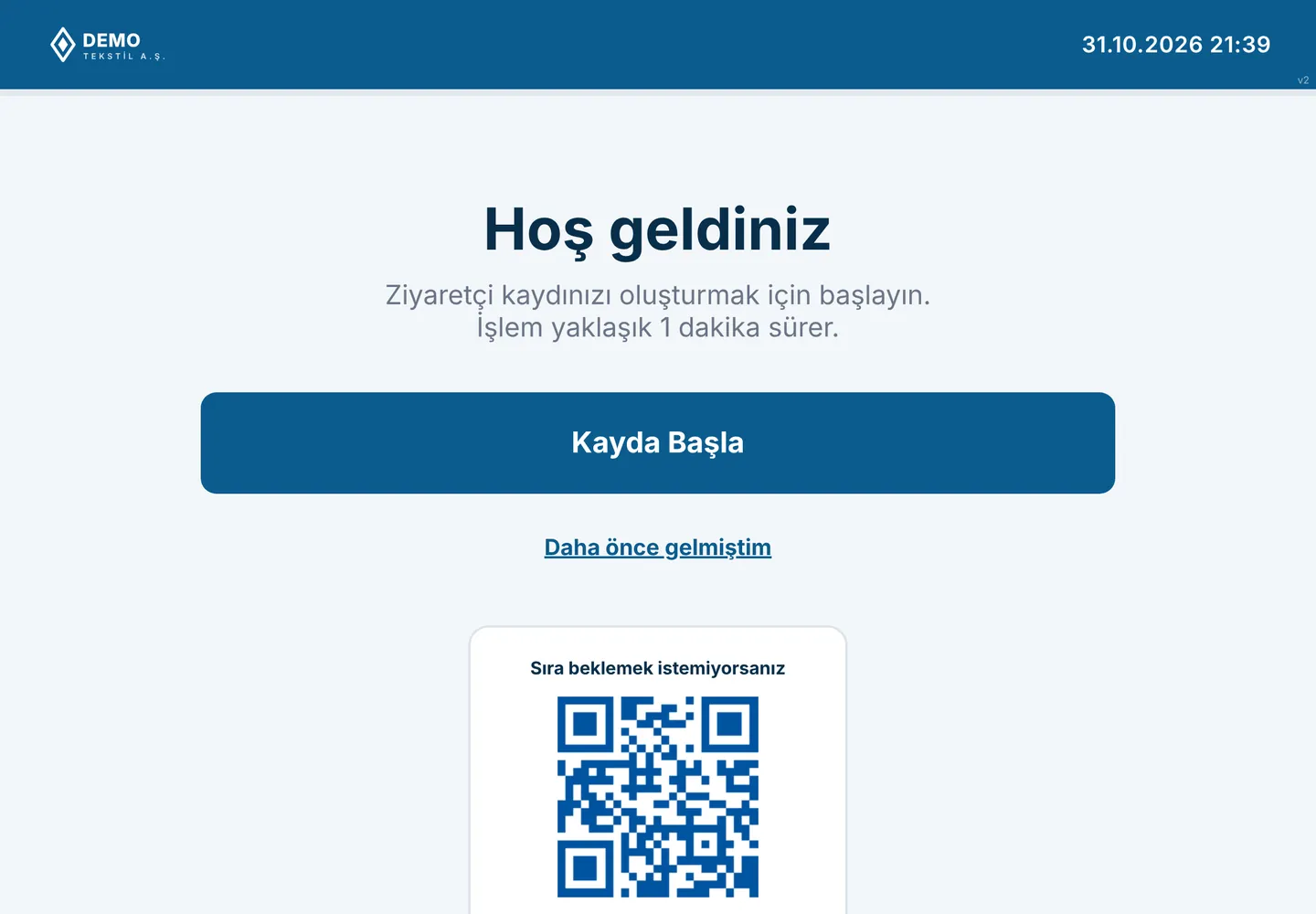
Entrance tablet: visitors register themselves; returning visitors check in quickly with their email
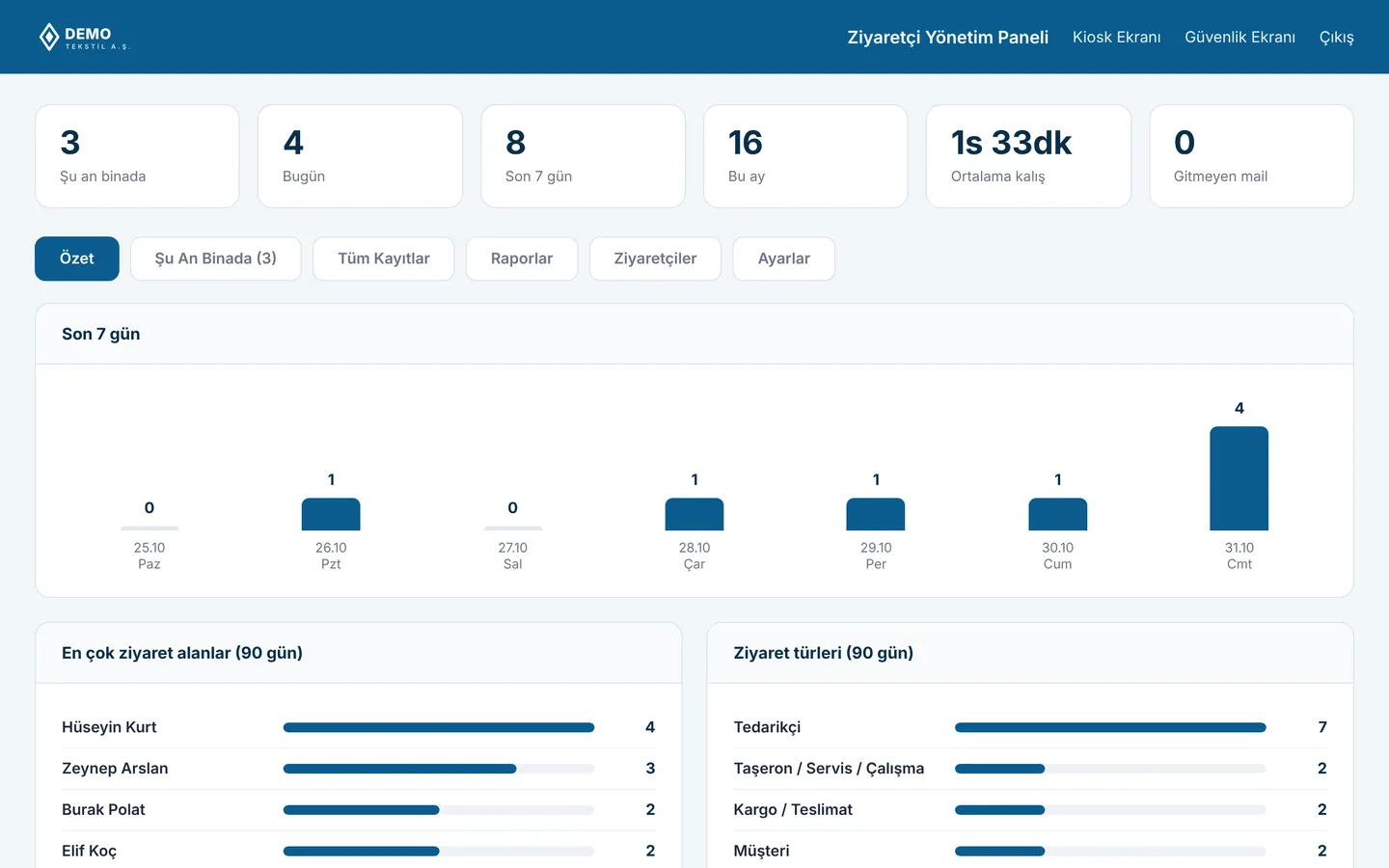
Management panel: who is on site, daily and monthly visits, most visited hosts
Screenshots are taken from the live Turkish-language demo; names and data are samples. Ask for a demo account and explore it yourself.
How it works
Three steps from gate to exit
- 1
Registration at the gate
The visitor or the guard enters name, company and the person being visited on a tablet or computer. Returning visitors are found by name and need not type again.
- 2
The host is known
The person being visited is chosen from the employee list and notified by email. Whose guest it is, is always on record.
- 3
One-tap check-out
The visit is closed when the visitor leaves. The “on site now” list updates itself.
What's included
Security, facilities and HSE on the same screen
Live site list
Visitors on site, their arrival times and whom they are visiting. A printable evacuation list for emergencies.
Search in seconds
Search all past visits by name, company, host and date; export to Excel.
Privacy built in
Only authorised staff see the records. The retention period is set to suit your company.
No hardware needed
A computer at the gate or a tablet is enough. No installation; it opens in the browser.
Together with YMO HR
With your employee list in place, setup takes minutes
If you use YMO HR, hosts are chosen from the same employee list. Mark a leaver as inactive in one place and they drop off the gate list too.
Frequently asked questions
Do we need special hardware at the gate?
No. The computer at the security desk or any tablet is enough; it opens in the browser.
Can we use it without YMO HR?
Yes. YMO Visitor works on its own; we import the list of employees who receive visitors from Excel.
How long is visitor data kept?
Your company sets the retention period. Records are deleted automatically when it expires.
We have several entrances. Can all of them use it?
Yes. Every entrance sees the same list; a visitor can come in through one gate and leave through another.
Live demo
Try it before you retire the visitor book
Fill in the form and we will email demo details for the tablet check-in screen, the security screen and the management panel.