Business cards that never run out, never go stale, never get lost.
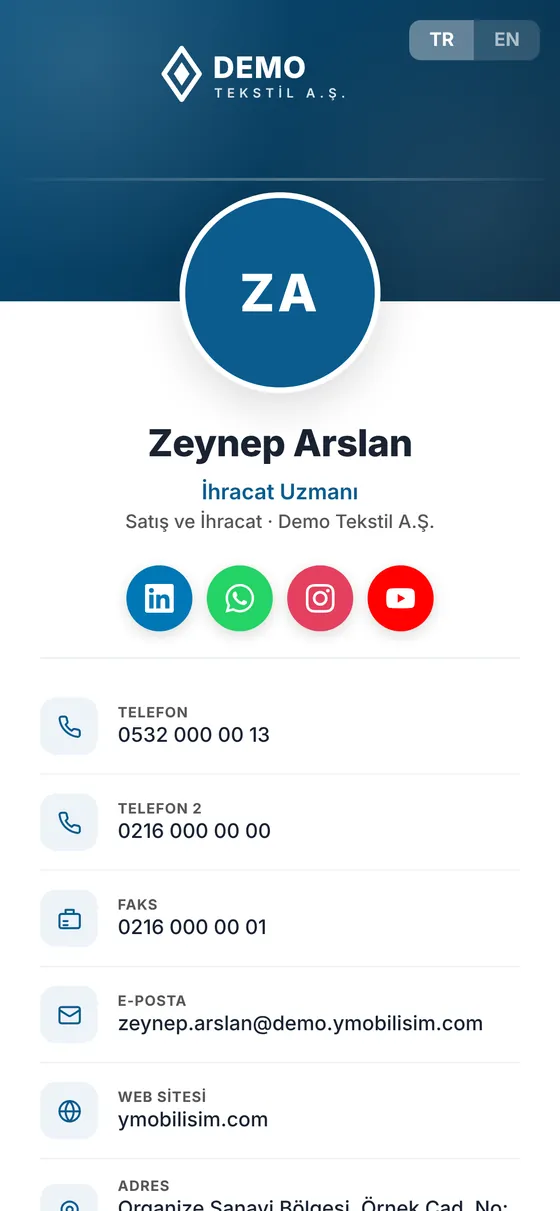
YMO Connect gives every member of your team a corporate digital business card. At a trade fair, in a meeting, on site: scan the QR code and save the contact with one tap.
The trouble with printed cards
Every new title is a reprint, every leaver a box in the bin
Today: A phone number or a title changes, and hundreds of cards are reprinted.
With YMO Connect: Update the details in the panel; the same QR code now shows the new information.
Today: Cards collected at a trade fair stay in the bag and never reach the contacts list.
With YMO Connect: Scan the QR code, tap “Save contact”, and the person is in the phone's contacts in seconds.
Today: A leaver's card is still in the customer's hand, and their old number still gets called.
With YMO Connect: The card is deactivated in the panel in one click; the old details no longer appear.
Prepared once,
shared everywhere.
The same QR code on the back of a printed card, in an email signature, on an ID badge or at a trade fair stand.
Screens
Management panel
Cards are added, updated and deactivated from one screen; every card comes with its QR code and NFC link.
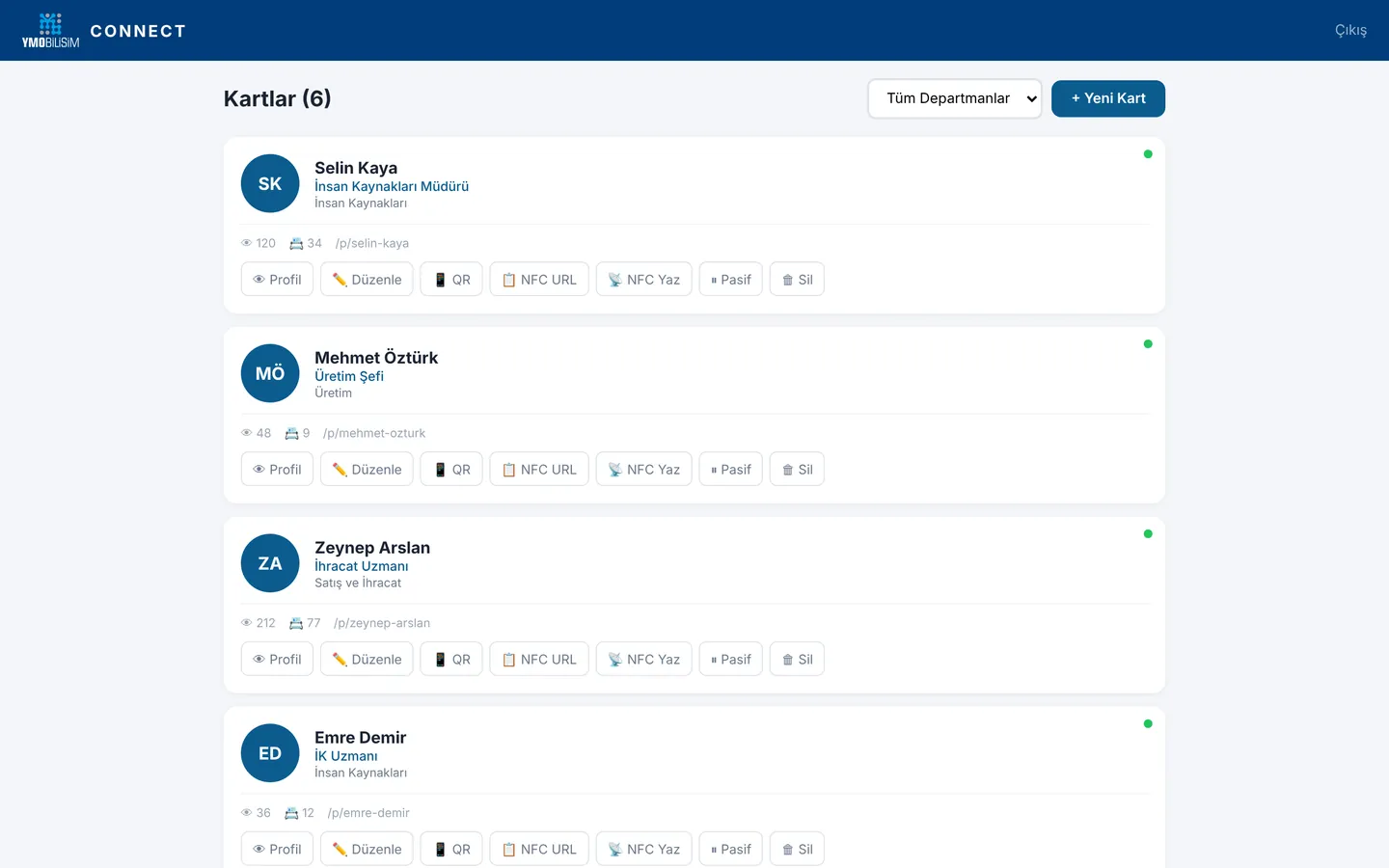
Card list: view and save counts, QR code, NFC, deactivation
Screenshots are taken from the live Turkish-language demo; names and data are samples. Ask for a demo account and explore it yourself.
How it works
Your whole team goes digital in three steps
- 1
Create the cards
Enter name, title, phone, email and photo in the panel. Company details and your corporate look come ready on every card.
- 2
Hand out the QR codes
Each employee gets their own address and QR code. Add it to printed cards, signatures or ID badges.
- 3
Manage it in one place
Update a card when details change and deactivate it when someone leaves. No more printing costs or outdated details.
What's included
A corporate, elegant card that works on every phone
A card page for each person
Photo, title, department, phone numbers, email, address and website, in your company's corporate look.
QR code
Every card has its own QR code. Scanning it opens the card directly; no app needed.
One tap to contacts
“Save contact” adds all details (vCard) to the other person's phone contacts.
Turkish and English
Title, department and address in both languages; foreign customers see the card in their own language.
WhatsApp, LinkedIn, Instagram
The person's social accounts and WhatsApp link open from the card with one tap.
Central management
You add, update and deactivate the cards. Employees cannot change their own card.
Frequently asked questions
Does the other person need to install an app?
No. They scan the QR code with their phone camera and the card opens in the browser; “Save contact” adds it straight to their phone's contacts.
Who keeps the cards up to date?
You do, from the management panel. When a title, phone number or address changes, you update the card; nothing needs to be reprinted.
What happens when an employee leaves?
You deactivate their card in one click. Even if the QR code is scanned, their details no longer appear.
Can the cards be in English?
Yes. Every card is prepared in Turkish and English; the viewer switches language with one tap.
Can we add them to our printed business cards?
Yes. Put each employee's QR code on the back of the printed card, in the email signature or on the ID badge. The link can also be written to NFC cards.
Live demo
Let's take your team's business cards digital
Fill in the form and we will send demo details so you can explore sample cards and the management panel. If you like, we can also prepare a sample card in your company's look.