
The inspector is at the door. Are your training records ready?
YMO HSE shows on one screen who has taken which training, whose training is about to expire and who has never taken it. No more digging through binders for signature sheets.
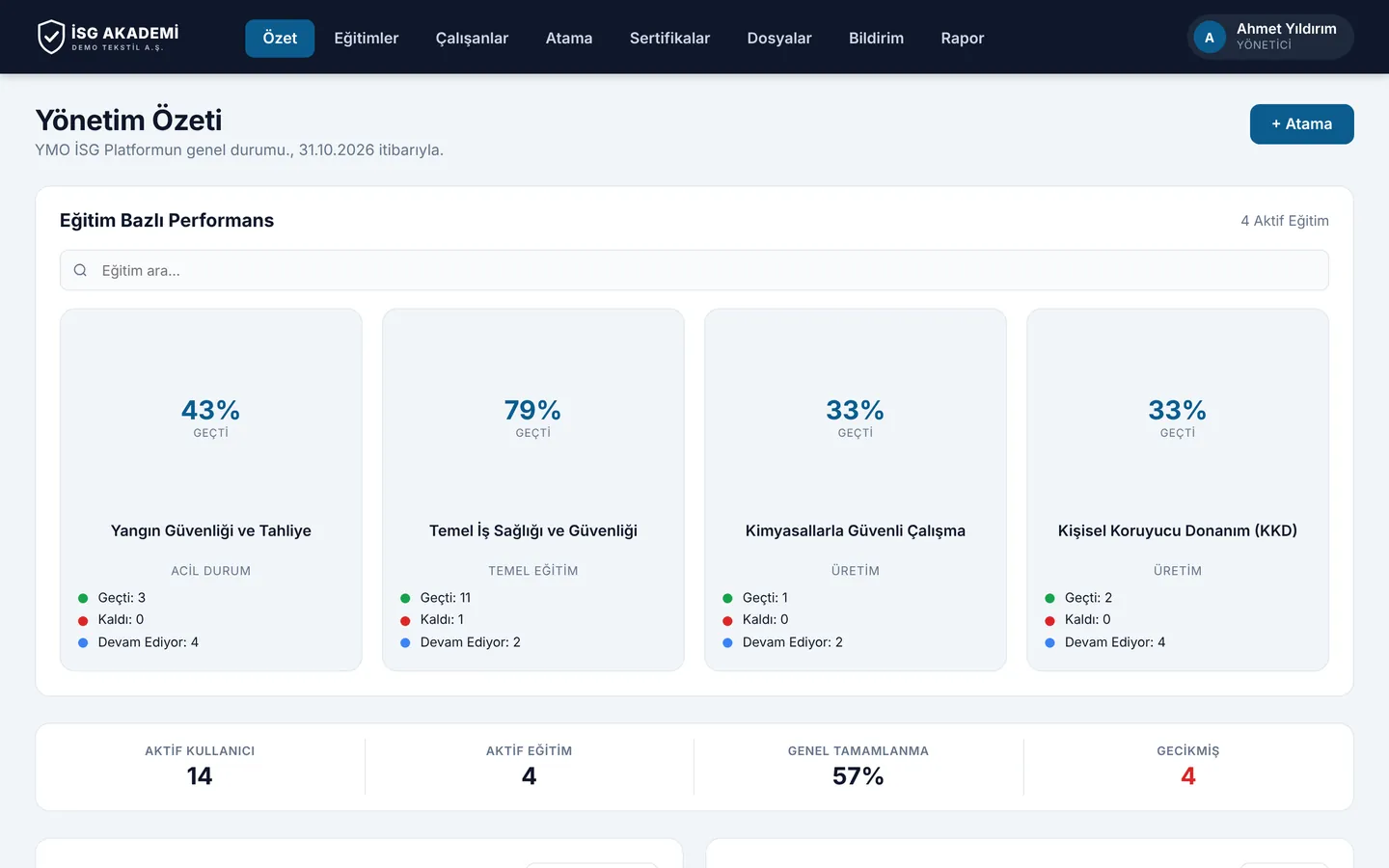
Why now
Delivering training is not enough; you must be able to prove it
In Türkiye, Occupational Health and Safety Law No. 6331 requires every employer to train its employees and keep records of it. Training must be renewed regularly according to the workplace hazard class. After an accident or during an inspection, the first document requested is that employee's training record.
At a site with a hundred people, that means dozens of dates every year. Excel will not remind you; YMO HSE will.
The system, not you,
notices expiring training.
Your safety specialist stops chasing dates and focuses on the job.
Screens
From the live demo
Through the eyes of managers and employees, straight from the demo environment.
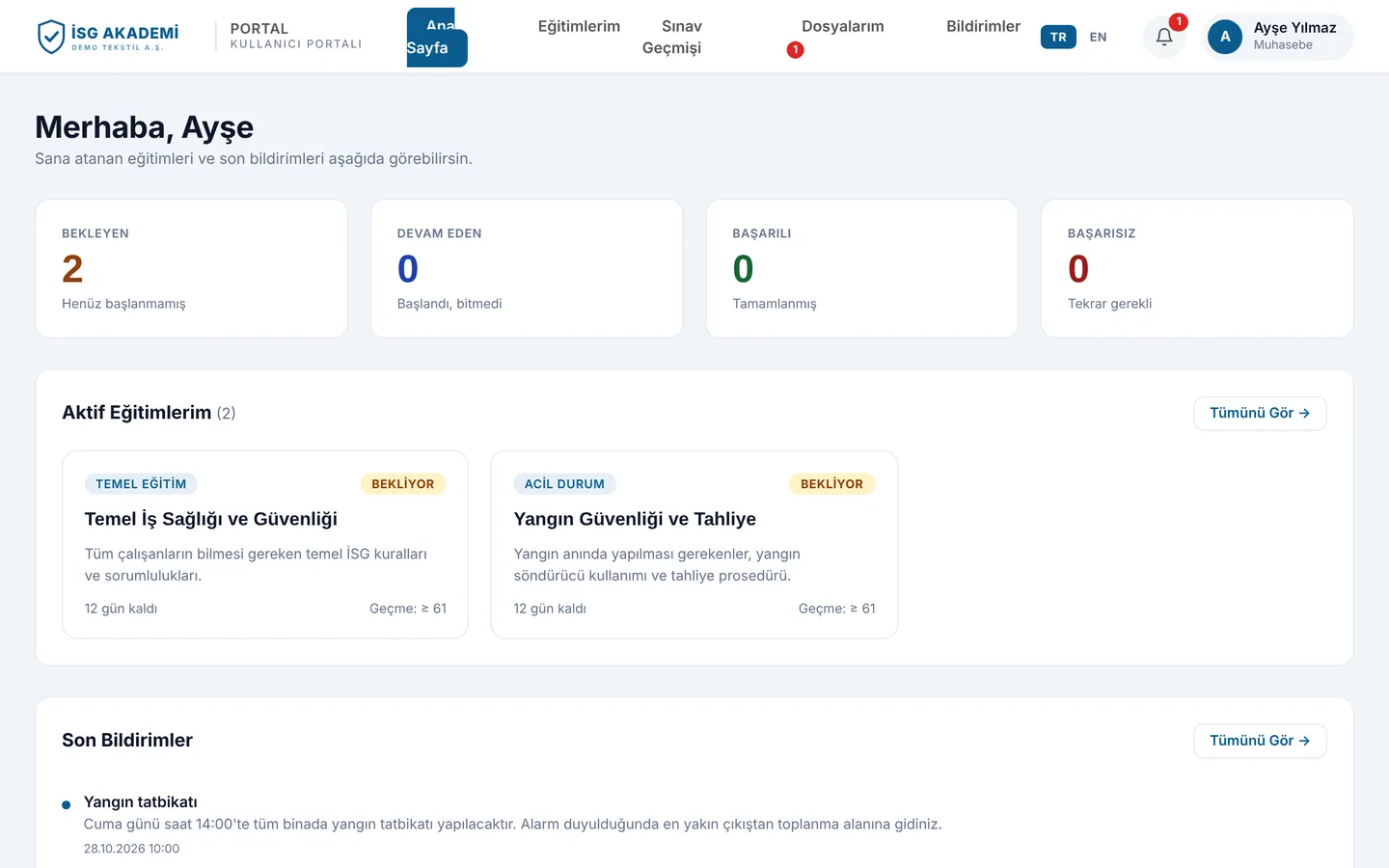
Employee screen: assigned training, due dates and notifications
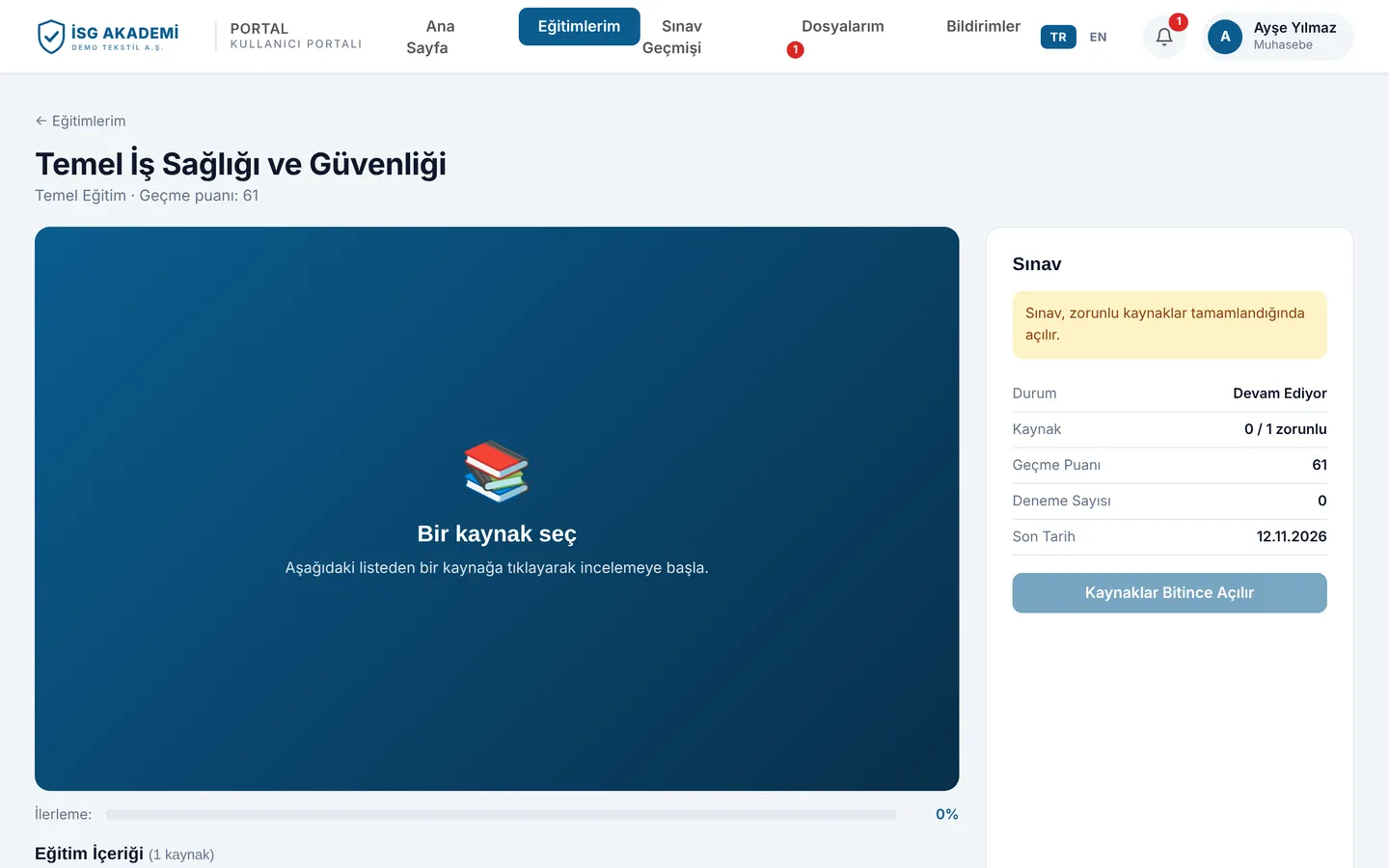
Training page: presentation, progress tracking and an exam that opens once the material is complete
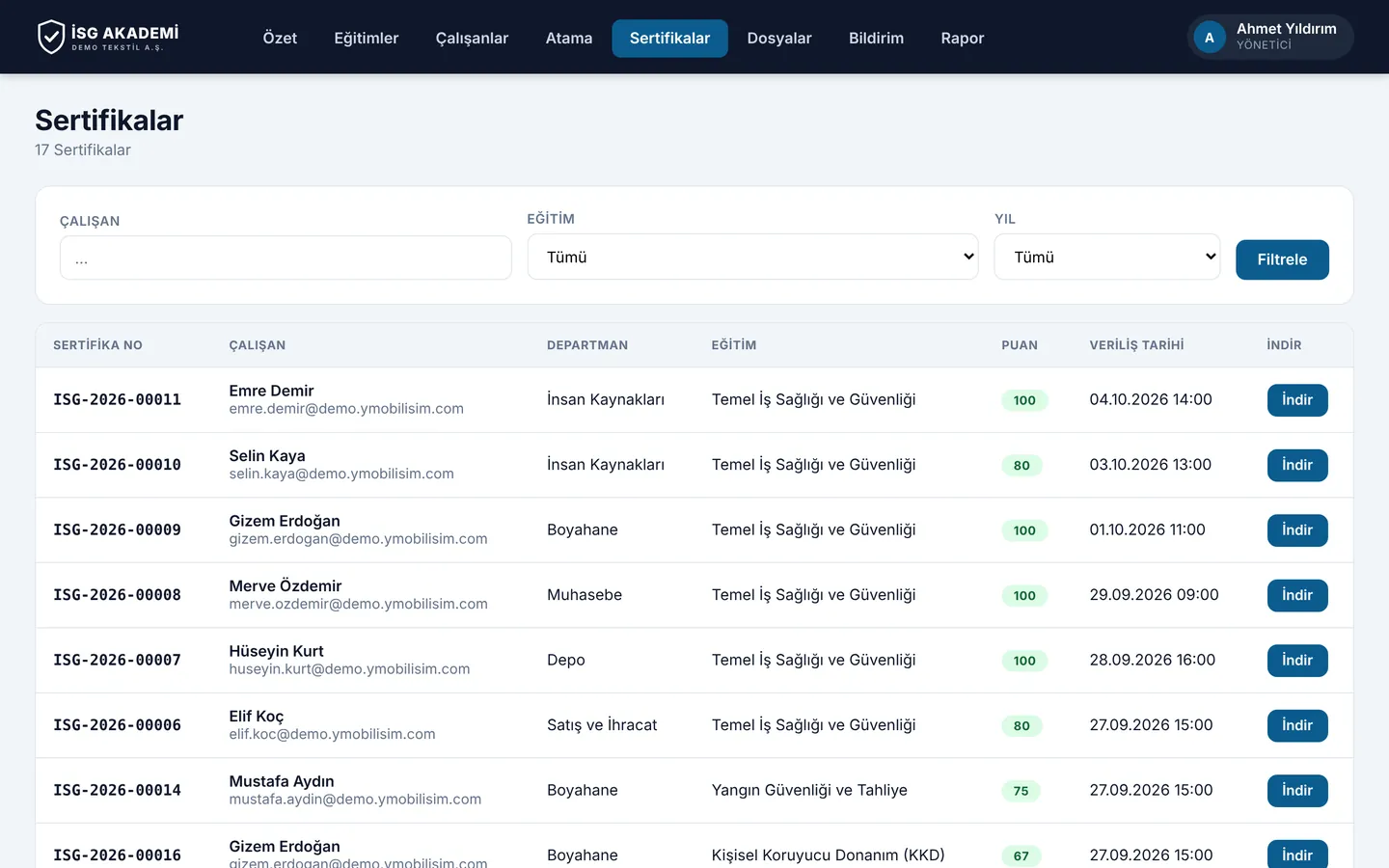
Certificates: a numbered PDF certificate for every employee who passes the exam
Screenshots are taken from the live Turkish-language demo; names and data are samples. Ask for a demo account and explore it yourself.
How it works
Plan, record, remind
- 1
Define the training
Basic HSE, working at height, fire safety, first aid… Enter each training's validity period once.
- 2
Assign it to employees
Assign by department or by person. Completed training is written to the employee's record with its date.
- 3
Leave the rest to the system
Training that is about to expire triggers an early warning. At inspection time, print the training history per employee in one click.
What's included
Everything on the safety specialist's desk
Expiry warnings
Training that is about to expire or has expired is colour-coded, and the person responsible is told in advance.
Audit-ready reports
History per person, department or training; print it or export to Excel.
Linked to the employee list
A new starter appears straight away on the list of people awaiting training.
Together with YMO HR and Visitor
The training plan is ready on day one
A candidate hired in YMO HR becomes an employee and is added to the training list in YMO HSE. One record, three products, zero re-typing.
Frequently asked questions
Does YMO deliver the training?
No. Your safety specialist or your occupational health and safety provider delivers the training; YMO HSE handles records, tracking and reminders.
Can occupational health and safety providers use it?
Yes. You can track each client company separately. Talk to us for the details.
Can we import our past training records?
Yes. Send us your Excel lists and we will import past training with its dates.
Can we use it without YMO HR?
Yes. YMO HSE works on its own; we import the employee list from Excel.
Live demo
Walk into your next inspection prepared
Fill in the form and we will email demo details for the manager and employee screens, exams and certificates.